
The short answer
An AI commercial is made in seven steps:
- Write one message and turn it into a beat sheet.
- Pick a visual style that suits AI.
- Write a production bible: style, colours, characters, sets and shot cards.
- Build the sets and characters as still images first.
- Save each character as a reusable element with a fixed voice.
- Generate every shot against its shot card, using start and end frames for camera moves.
- Add voice, music and captions, then edit.
Most people skip steps 3 to 5 and go straight to prompting video. That is why their characters change face between shots and the ad looks like a pile of clips.
Step 1: one message, then a beat sheet
Start with the one thing a viewer should remember. For Sitechecker it was simple: all client data through one connector instead of a mess of separate ones.
Then write a beat sheet, not a script. Ours had four parts:
- Hook (0 to 3 s): an image that makes people stop. A street with cables pouring out of an office window.
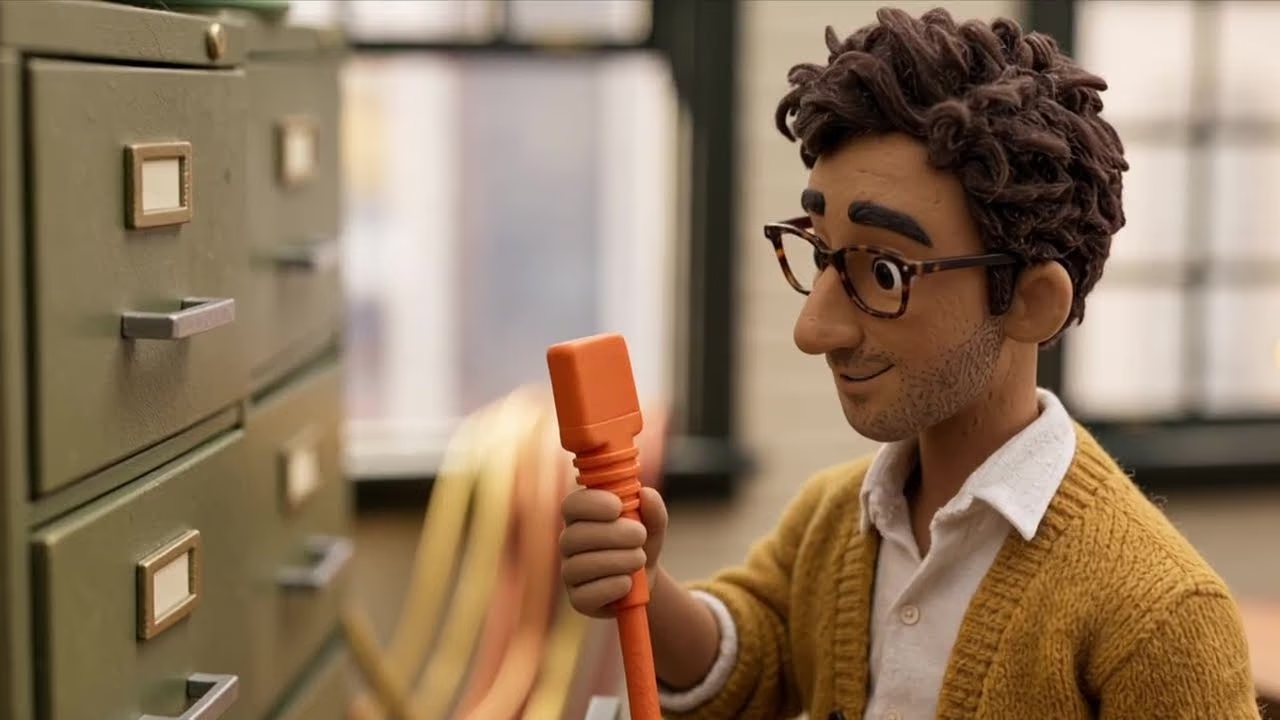
- Escalation: the mess gets worse in three steps, ending with an SEO specialist opening a filing cabinet stuffed with client connector cables.
- Turn: a hand pulls out one plug.
- Payoff: a colleague relaxes at his desk with that one plug, then the product and the offer.
The first draft ran close to a minute and explained too much. Cutting it to beats is what made it 50 seconds.
Step 2: choose a style that suits AI
Photoreal people are where AI video still slips: hands, teeth, eyes that drift between shots. Styles with a designed, slightly handmade look hide those flaws and stand out in a feed full of stock footage.
Good choices for B2B ads:
- Stop-motion miniatures, like clay or felt figures in a diorama. This is what we used.
- Illustration or 2D animation styles.
- Stylised 3D, closer to an animated film than to a photo.
Pick one and never mix it. A single sentence describing the look goes into every prompt, word for word.
Step 3: write the production bible
The production bible is a short document that every prompt is built from. Ours had six parts:
- Style block: one locked paragraph about look, light, lens and texture.
- Colour rules: brand blue appears only where the product is, so the product is the only splash of brand colour in every shot.
- Character locks: a reference sheet and a description for each of the 4 characters.
- Set locks: reference images of the street and the office.
- Shot cards: one per shot, with framing, action, camera move, dialogue, length, and start and end frames.
- Risk list: what AI tends to get wrong in this ad, and how each shot avoids it.
It takes about a day. It saves far more than a day in production, because nothing has to be improvised.
Step 4: build the world as still images
Make every set and character as a still image before generating any video. Still images are cheap to iterate, and once they are right they become the references every video shot starts from.
We built the sets in Figma Weave and made the character sheets and keyframes with Nano Banana Pro.
Step 5: lock each character with a fixed voice
This is the step that keeps faces the same. In Kling AI, a character can be saved as an Element from its reference images, and a voice can be bound to it. Every shot that features that character then uses the saved Element instead of a fresh description.
Two rules we follow:
- Never describe the character's face in a shot prompt. Describe only what they do. The Element carries the look.
- Keep the number of characters in one shot small. Two is easy; four in one frame is where mistakes start.
Step 6: generate every shot against its card
Generate shot by shot, following the cards, not the whole ad in one long prompt. Our ad was 12 clips in Kling AI 4.0.
- Dialogue shots used the saved Elements, so lip sync matched the bound voice.
- Camera moves and transitions used a first and a last keyframe, made as still images beforehand, so the move ends exactly where the next shot begins.
Throw bad takes away instead of trying to fix them in the edit. A regenerated shot costs minutes; a patched one is visible to everyone.
Step 7: voice, music, captions and the edit
We voiced the narrator in ElevenLabs. Captions were written together with the script, because most feed views start muted and captions added at the end rarely read naturally.
Then a normal edit: timing, music, sound effects and a final colour pass so all 12 clips sit in the same light.
What it costs and how long it takes
With a studio, a 30 to 60 second AI commercial like this costs $900 to $1,400 with two characters and takes about a week. Each extra character adds $150. A comparable live-action spot typically starts around $5,000 and takes 3 to 6 weeks.
Doing it yourself costs the tool subscriptions and your time. The tools are not the hard part; the story and the bible are. If you would rather have it made, see how we work or price your ad.
Mistakes that make AI ads look cheap
- Starting with prompts instead of a story.
- Mixing styles between shots.
- Describing characters again in every prompt instead of reusing saved references.
- Too many characters or too much motion in one shot.
- Readable text inside generated scenes. Add text in the edit instead.
- Brand colours everywhere, so nothing stands out.
- Fixing bad takes in the edit instead of regenerating them.